Catalog readiness
Build on product imagery and product information you already maintain.
AI-assisted 3D for furniture
SpaceCheck helps furniture businesses turn existing product imagery into useful 3D assets for ecommerce visualization and augmented reality—without treating your catalog like a technical 3D project.
Start with product imagery, confirm real dimensions, then review the asset before sharing or publishing.
Product imagery to 3D
Built for catalog and merchandising workflows.
AI-assisted 3D for furniture catalogs
Traditional 3D asset creation can depend on specialist workflows. Furniture teams already manage product photography, specifications, and catalog details; SpaceCheck helps turn that content into a reviewable 3D starting point for modern product visualization.
The goal is not an opaque technical process. It is usable product content that your team can inspect before using it in supported channels.
Build on product imagery and product information you already maintain.
Check the generated 3D result before it reaches customers.
Prepare richer content for supported ecommerce experiences.
Use correctly scaled assets for supported furniture AR workflows.
From product imagery to 3D
Use customer-friendly steps that keep the source material, physical dimensions, review, and supported destination clear.
Use suitable furniture product imagery your business already has.
Use AI-assisted creation to prepare a reviewable furniture asset.
Supply or confirm Length × Height × Depth for intended physical scale.
Use supported GLB and USDZ outputs for downstream 3D and AR workflows.
Bring richer 3D content into ecommerce, AR, sharing, and supported Shopify workflows.
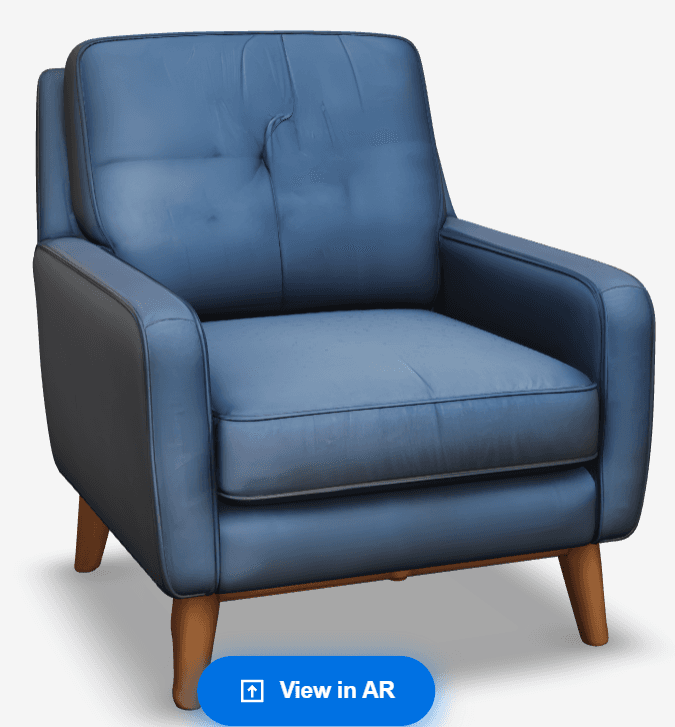
Physical dimensions still matter
Furniture businesses supply or confirm Length × Height × Depth separately. Those real dimensions are used downstream to establish intended scale for sofas, chairs, tables, cabinets, and other products.
SpaceCheck does not claim to extract exact real-world measurements from a photograph. That distinction matters when a 3D asset is used beyond a catalog image.
3D assets for ecommerce
Useful furniture 3D assets can support richer product presentation, digital merchandising, interactive visualization, and supported AR experiences. They can help teams give shoppers more context while keeping product content reviewable.
Creating a 3D asset is the first step. A properly prepared and scaled asset can then support visualizing furniture in a customer’s physical space through the existing AR experience on compatible devices.
Learn how furniture AR worksUse prepared assets within supported Shopify workflows where they fit your store and catalog setup.
Talk to our teamUseful source imagery
Common questions
It is an AI-assisted workflow for turning furniture product imagery into a 3D asset that a business can review and prepare for supported visualization workflows.
Yes. A clear product image can be used as a starting point. Businesses should review the generated model before using it in customer-facing workflows.
No. SpaceCheck does not claim to infer exact measurements from an image. Businesses supply or confirm Length × Height × Depth, which are used downstream for intended scale.
SpaceCheck prepares GLB and USDZ assets for supported web 3D and AR workflows. Compatibility depends on the device, browser, and viewer.
A properly prepared and scaled model can support SpaceCheck’s existing furniture AR workflow on compatible devices.
SpaceCheck supports iPhone Quick Look with USDZ and the existing Android AR viewer workflow on compatible devices.
Furniture retailers can use prepared assets within supported Shopify workflows where the integration fits their catalog and store configuration.
No. Businesses without existing 3D assets can begin with suitable product imagery and real product dimensions.
Ready when your catalog is
Start with a product image and real dimensions, then review the 3D asset before choosing the supported experience that fits your catalog.
Create a 3D model